Pick a distance.
Run a loop from your own door.

RunRoutes draws a route along real streets, sized to the distance you ask for and ending right where it started. Run it with spoken directions in your headphones and a tap on your wrist at every turn, or send it to your Garmin and run it your way.

For iPhone, Apple Watch and Android. Your first two routes are free. No account needed.

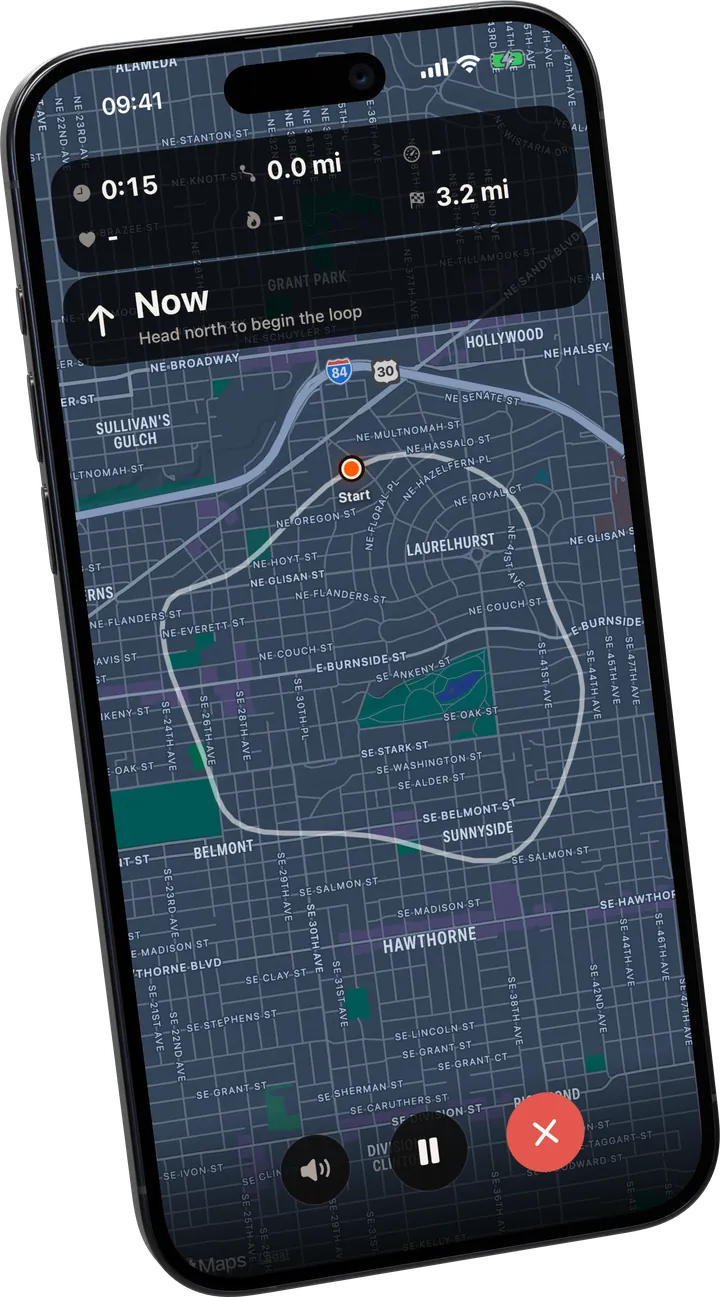
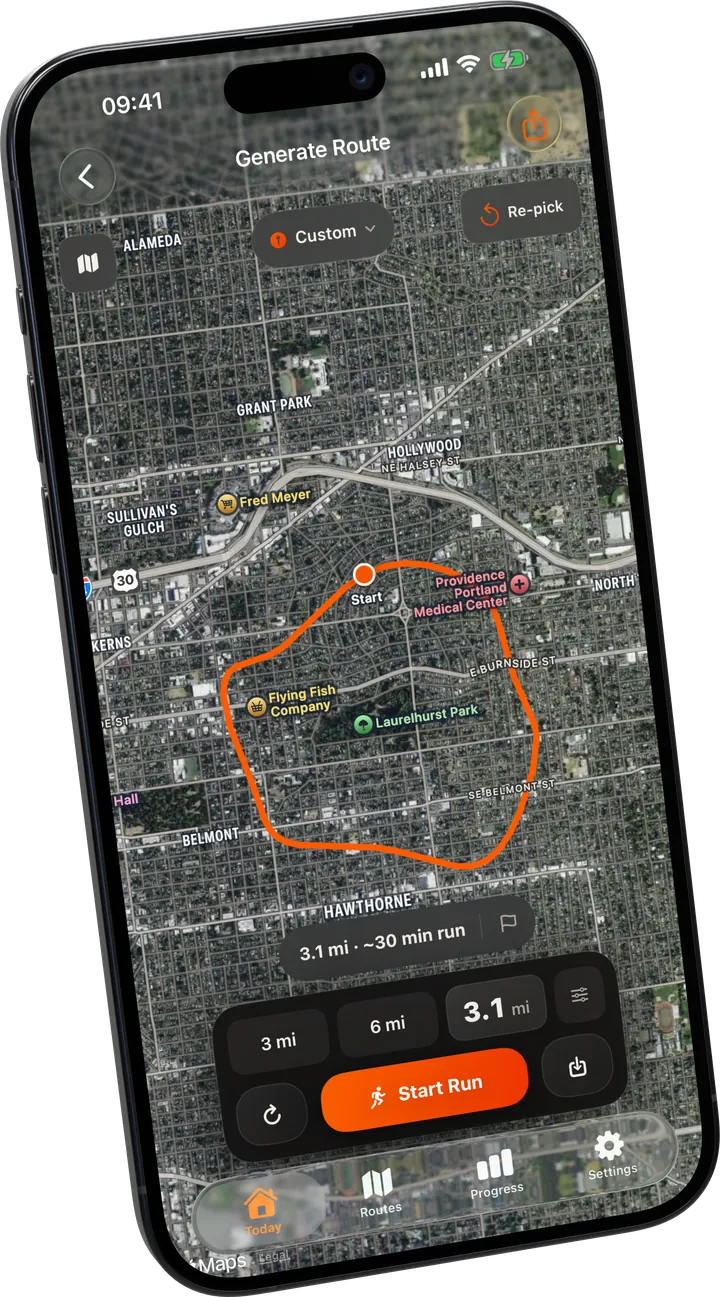
The generator: an orange loop over a satellite map, starting and ending at the same point, with distance buttons and a Start Run button below.
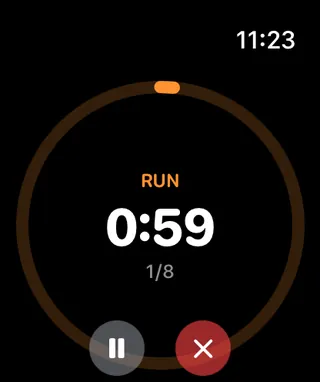
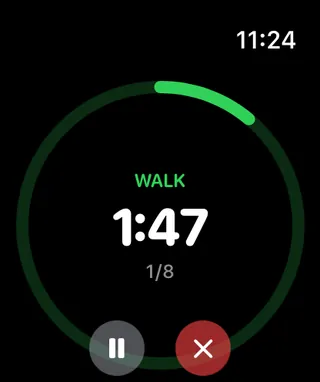
RunRoutes on Apple Watch during a run interval, with the time left in a ring.

The routes and runs shown are sample data.

A route from your door.
Three taps, then run.

RunRoutes is a running route generator for iPhone, Apple Watch and Android. You pick a distance, for example 5 km, and it creates a loop that starts and ends at your own front door, along real streets and paths. Not knowing where to run is a quiet reason to skip a session, and running the same street every time is a quiet reason to get bored of it. RunRoutes does the deciding.

  1. Stand where you want to finish

    Your front door, the office, a car park at a trailhead. That spot becomes the start and the end, which is the whole point of a loop.

  2. Say how far, tap once

    Pick 5K, 10K or dial in any distance. A loop appears in seconds, with its real length shown before you commit. Not your kind of route? Tap again for another one.

  3. Run it, save it or send it on

    Start straight away, keep it for another day, or hand the file to another app. Saved routes stay in the app, so a good loop is one tap away next week.

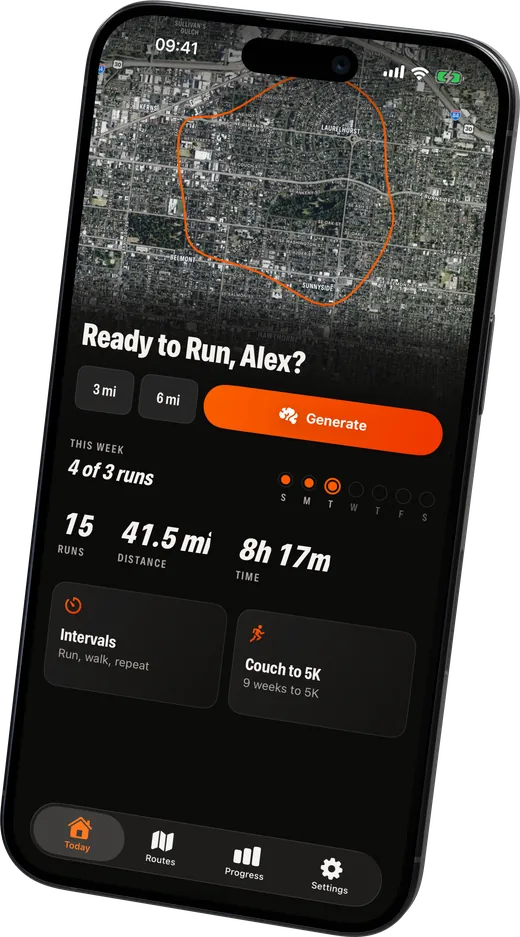
The Today screen with a map of the latest route, distance shortcuts and a Generate button.
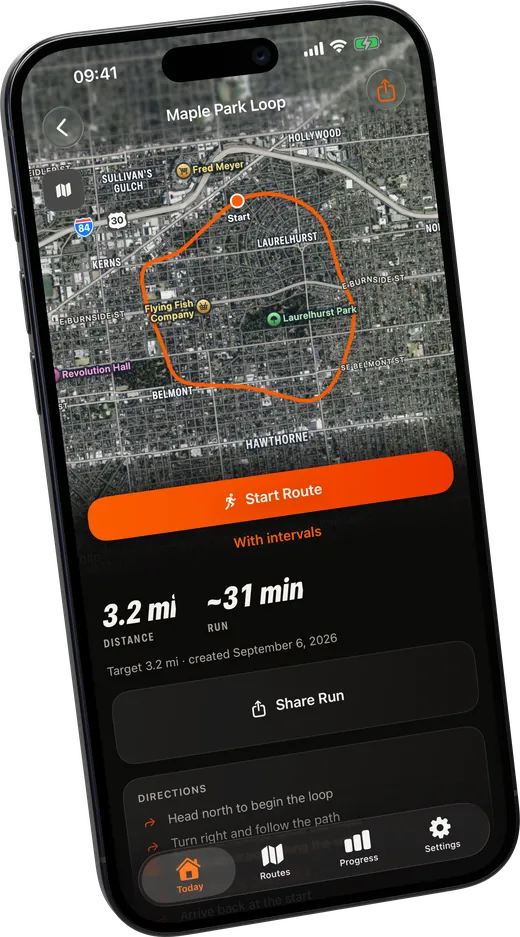
A saved route with its distance and estimated time, a Start Route button and a Share button.

Phone in your pocket?
Your wrist knows the way.

Tap Start and your Apple Watch takes over: a tap on the wrist before every turn and at every run walk switch, with time, pace and heart rate a glance away. Swipe to the map whenever you want to see the whole loop.

A voice calls out every turn before you reach it ("in 100 metres, turn left") and tells you when you leave the route, right through the music in your headphones, even with the phone locked. Your phone mirrors the run live on a full screen map. No watch? The phone guides you on its own.

RunRoutes on Apple Watch during a walk interval.
RunRoutes on Apple Watch during a run interval, with the time left in a ring.

Take the route
anywhere you already run.

Every route can leave the app as a GPX file, the format nearly every running, cycling and hiking app reads. Send a loop to your Garmin or Coros before a run, drop it into Strava or Komoot, or keep a folder of them.

Export is free, for generated and hand drawn routes alike. Making the route here and running it with the watch you already own is a perfectly good way to use RunRoutes.

  • GPX export of every route, also without Pro
  • Draw your own route by tapping waypoints
  • Share the finished run as a card for your story
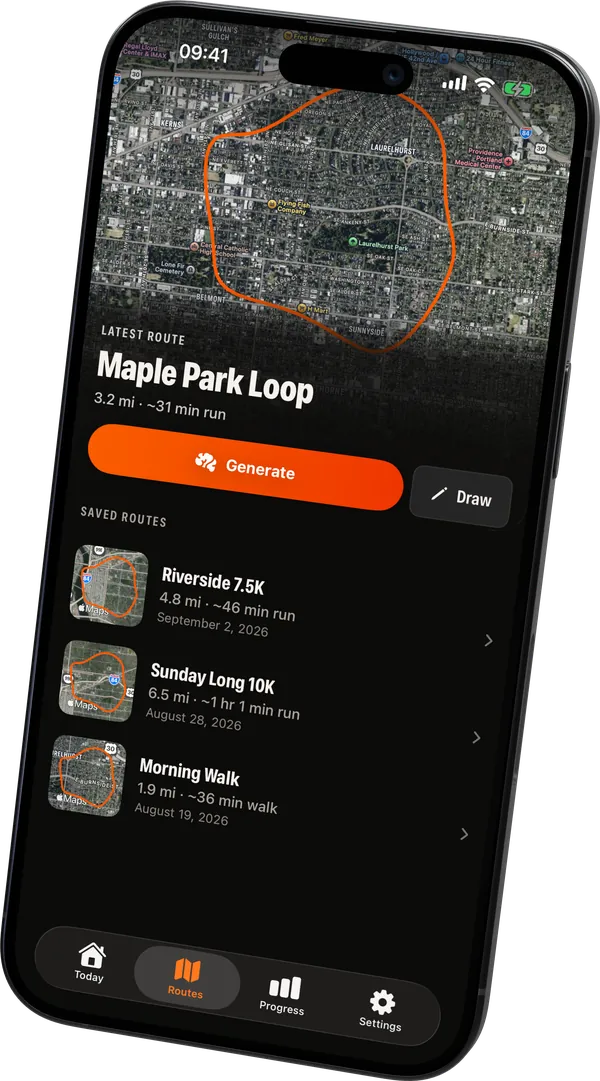
The saved routes list, each with a small map of the loop, its distance and its date.

Getting the file where you need it

In RunRoutes the first step is always the same: open the route, tap Share and choose where the file goes. What happens next depends on the app.

Garmin

  1. Share the route to Files, or mail it to yourself.
  2. Open Garmin Connect and go to Training & Planning, then Courses.
  3. Choose Import and pick the GPX file.
  4. Open the course and choose Send to Device.
  5. On the watch, start a run and pick the course under Navigation.

Coros

  1. Share the route to Files.
  2. In the COROS app, open Profile, then Route Library.
  3. Choose Import Route and pick the GPX file.
  4. Sync the watch, then find it under Navigation when you start.

Strava

  1. Share the route to Files.
  2. On the Strava website, open My Routes, then Upload a Route.
  3. Pick the GPX file. It appears on your phone once it syncs.

Route upload is on the website rather than in the phone app.

Komoot

  1. Share the route straight to Komoot from the share sheet.
  2. Or on the website, open Plan, then Import GPX.
  3. Save it to your collection and it syncs to the phone.

No RunRoutes account is needed for any of this. A GPX file is just a list of points, so anything that reads the format will take it, including Suunto, Polar, Wahoo and a plain map on a phone.

When you want a plan,
there is one.

Run walk intervals ride along on any route or run on their own: run 90 seconds, walk 60, eight times, or whatever shape suits you. The built in Couch to 5K program takes nine weeks, three short sessions a week, from your first minute of running to 28 minutes nonstop.

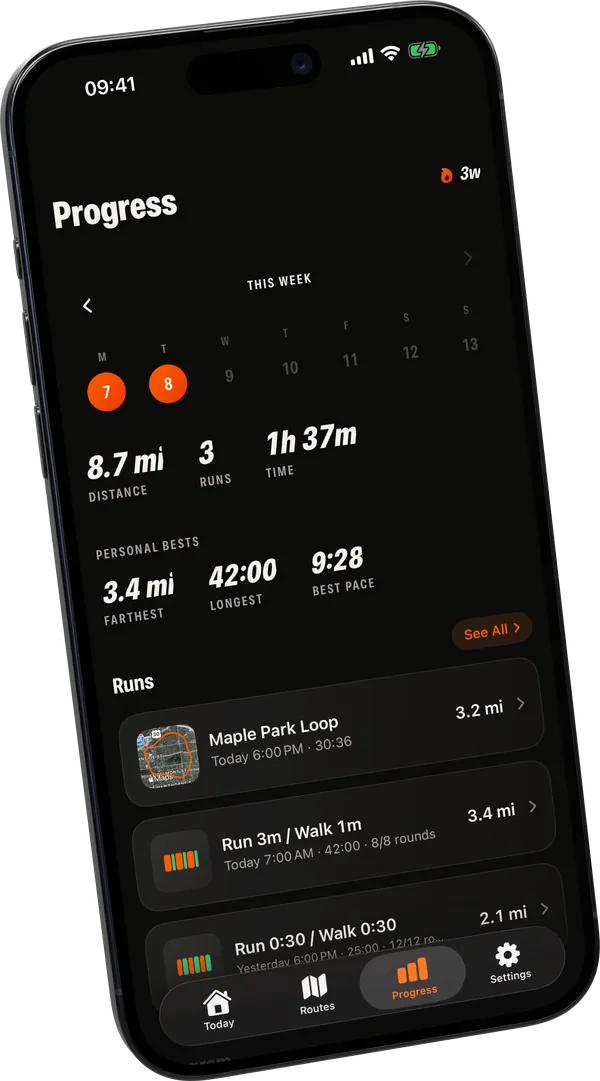
Progress opens on your week: which days you ran, what the week adds up to, and how often you hit the goal you set. Runs recorded with other apps count too.

  • A 9 week Couch to 5K program
  • Run walk workouts of any shape
  • A weekly goal you set yourself, not a streak to protect
The Progress screen: the current week, distance, runs and time, personal bests and the runs below.
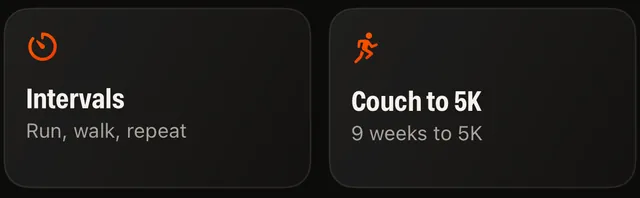
Two tiles from the Today screen: Intervals, and the Couch to 5K program.

Your first two routes are free.
Then go Pro.

Try it on your own streets before you pay anything. After the first two routes, Pro removes the limit. Go yearly for the lowest price per week, pay once for lifetime, or go week by week.

RunRoutes

Freeto start, no account needed

  • Your first two generated routes
  • Draw your own routes
  • GPX export of every route
  • Guidance on your phone and Apple Watch
  • Three custom workouts and the first two weeks of Couch to 5K

RunRoutes Pro

Everything in RunRoutes, without the limits.

Yearly

€34.99per year, until you cancel

Lifetime

€49.99once, and Pro stays unlocked

Weekly

€4.99per week, cancel anytime

  • Unlimited route generation
  • Unlimited custom workouts
  • The full 9 week Couch to 5K program
Download on the App StoreGet it on Google Play

Prices in euros. The App Store and Google Play show the price for your country before you buy. The yearly plan renews automatically each year and the weekly plan each week, until you cancel. Lifetime is a single payment, with nothing to cancel. Existing purchases stay valid.

Coming soon for clubs and running groups: Pro for every member, with one yearly price. Sign up to hear when it starts.

Questions runners ask.
Straight answers.

How do I find a running route near me?

There are four ways, and they suit different people. Look at a heatmap in Strava or Komoot to see which streets runners near you actually use, which is the best signal there is but needs a paid tier on Strava. Ask a local running club, because their regular loops are already measured and already safe after dark. Draw one yourself on a route planner, which is exact and takes ten minutes. Or generate one: RunRoutes builds a loop of the distance you ask for from wherever you are standing, along real streets, starting and ending at the same spot, which is the fastest of the four when you just want to get out of the door.

Can I generate a running route of an exact distance, like 5 km?

Yes, that is the main thing it does. Ask for 5 km and you get a loop close to 5 km that starts and ends at the same spot. Routes follow real streets, so there is usually a small difference, and RunRoutes shows you the exact length before you start. If nothing fits your distance, it offers the closest loop it found instead of an error.

Can I export a route to Garmin, Coros or Strava?

Yes. Every route can be shared as a GPX file, the format nearly every running, cycling and hiking app imports. Send it to your Garmin or Coros watch, load it into Strava or Komoot, or keep it. Export is not held back for Pro, so making the route here and running it with whatever is already on your wrist works from the first day.

How many routes can I generate for free?

Your first two routes are free, without payment details and without creating an account. After that, RunRoutes Pro removes the limit: €34.99 a year, €49.99 once for lifetime access, or €4.99 a week. Subscriptions renew automatically until you cancel. Routes you drew or saved stay yours, and GPX export stays free.

Do I need an Apple Watch to use RunRoutes?

No. RunRoutes generates routes and guides you on your phone alone, iPhone or Android, with spoken directions at every turn in your headphones. On iPhone, an Apple Watch makes it nicer: a tap on your wrist at every turn and at every run walk switch, and a map a glance away, so your phone can stay in your pocket. You can also skip guidance entirely and export the route to another watch.

Is RunRoutes available on Android?

Yes. RunRoutes is on Google Play for Android phones, with the same loop generator, spoken directions at every turn, GPX export, run walk intervals and Couch to 5K as on iPhone. Your first two routes are free there too, without an account. There is no watch app on Android yet: the phone guides you on its own, or you export the route to your Garmin or Coros.

Is RunRoutes the same app as RunLoop?

Yes. RunRoutes was called RunLoop: Route Generator until September 2026, and IntervalRun before that. It is the same app from the same developer, with the same App Store listing, so nothing needs reinstalling and purchases made under the old name stay valid.

How is RunRoutes different from other running apps?

Most running apps assume you already know where to run: they track your pace and distance while you follow a route you worked out yourself, and the planners among them, Strava and Komoot included, hand you a drawing tool. RunRoutes starts one step earlier and does the deciding. You give it a distance, it gives you a loop back to your door, sized to what you asked for. Drawing your own is still there, and when you would rather run with something else the route leaves as a GPX file. Tracking apps record your run. RunRoutes hands you the run to go do. For a side by side look at eight route apps, see running route apps compared.

Does RunRoutes work where I live?

It builds routes from OpenStreetMap, the open world map that volunteers keep up to date, which knows nearly every street and path on earth, from city blocks to village lanes. The first route in a new area fetches that neighbourhood's map once, so the next routes there are instant. If a loop of your exact distance does not fit, the app offers the closest one, and you can always draw your own route by tapping points on the map.

Your next route
is one tap away.

Your first two routes are free and there is no account to create. A question about the app or your data? Email us and a person answers.